Tag: Machine Learning

  • If You Have to Babysit Your AI Agent, It’s Not an Agent

    If You Have to Babysit Your AI Agent, It’s Not an Agent

    You just deployed a cutting-edge AI Agent with the expectation that it will completely automate your most complex enterprise workflows. But what does the reality of your deployment look like? Every time the system is about to execute a crucial step, it pauses and forces a human operator to read a prompt and manually hit “Approve.”

    If you find yourself constantly monitoring, guiding, and hand-holding your autonomous workflows through every minor decision, you need to face a harsh reality: You have not built an autonomous AI Agent. You have merely built a glorified, LLM-powered automation tool, and you have turned yourself into its full-time babysitter.

    It is time to dismantle the uncomfortable truth about the so-called “Human-in-the-Loop” (HITL) illusion and explore how developers are utilizing platforms like AgentOps to move toward genuine, engineered oversight.

    1. Spotting the Fake AI Agent Demo

    If you spend any time scrolling online, you will inevitably see mind-blowing demos of intelligent systems working flawlessly. However, as any seasoned developer knows, most of these showcases are structurally misleading. They hide the messy reality of how agentic workflows actually operate.

    Here are the classic red flags that prove a system lacks true autonomy:

    • Prompt Puppetry: The demo shows a creator typing an incredibly detailed, perfect prompt, followed by flawless execution. In this scenario, the real intelligence isn’t in the machine, it is in the human who spent hours crafting the exact script. If the system completely falls apart without that one perfect prompt, it is a scripted workflow, not an agent.

    • The Complete Absence of Failure: Real-world environments are chaotic. APIs time out, website layouts change dynamically, and data returns in unpredictable formats. In a fake demo, you never see an error message. But a true AI Agent must possess intrinsic failure handling capabilities. If you do not see the system struggle, encounter an obstacle, and autonomously correct its course, you are not observing real autonomy.

    • The Human as the Planner: If a human operator is constantly clicking the key buttons, selecting which tool to use next or deciding when a task is finished – the machine is just a passive executor. The human remains the actual planner.
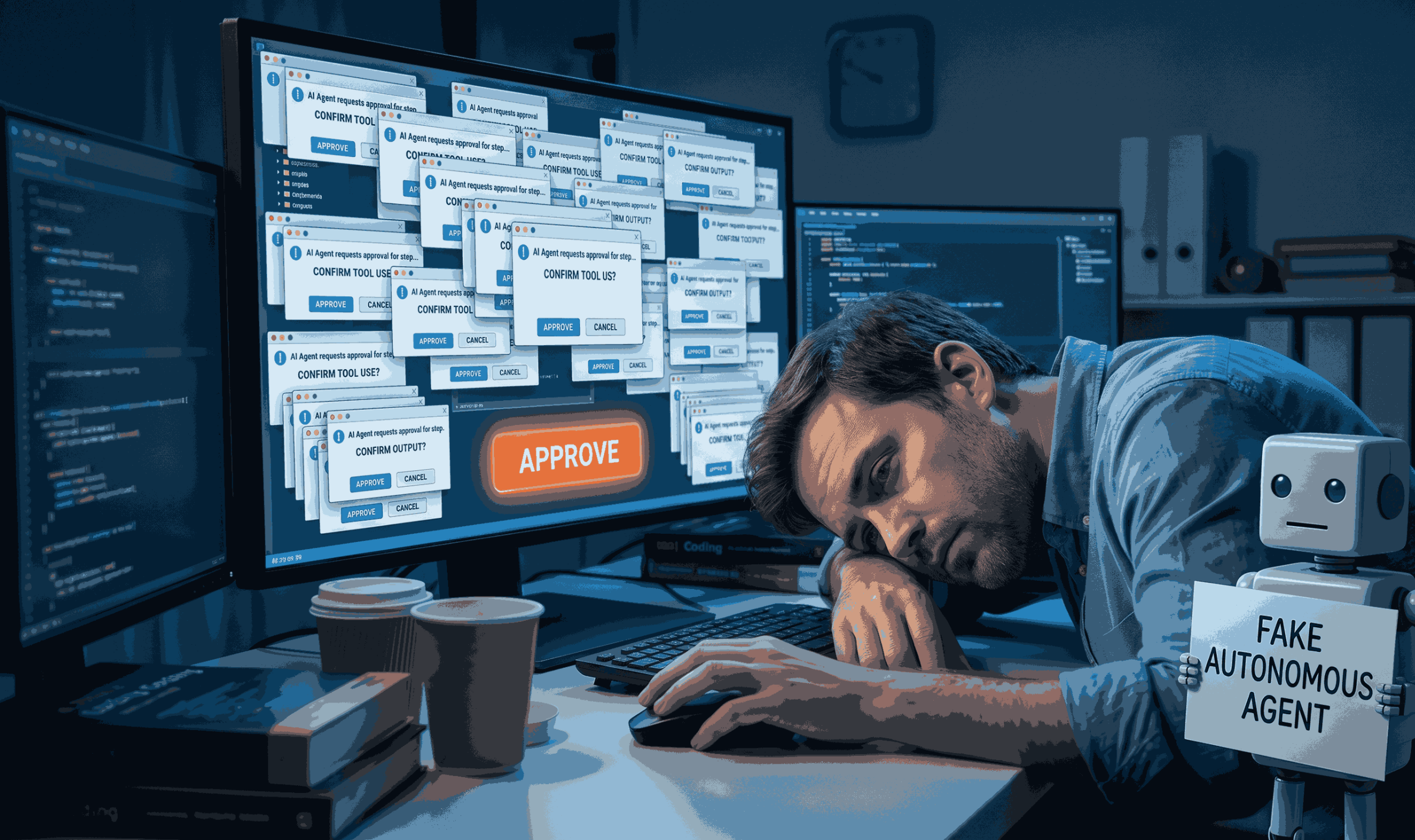
    Ai Agent
    Mind-blowing demos of intelligent systems working flawlessly

    2. The Fatal Flaw of “Approval Theater”

    To prevent autonomous systems from making catastrophic mistakes, many engineering teams inject a human approval step into the architecture. They believe this HITL approach is the ultimate safety net. In high-stakes, real-world enterprise environments, this is actually a massive vulnerability.

    Imagine an expert having to review dozens of complex, machine-generated decisions back-to-back. Human judgment degrades rapidly under these conditions. After just 15 or 20 complex evaluations, cognitive fatigue sets in. Instead of providing rigorous, analytical oversight, human reviewers fall into a dangerous pattern of rubber-stamping, approving actions in less time than it takes to even read the prompt.

    This subjective safety net is what industry experts call “Approval Theater.” It looks like oversight and feels like control, but when the pressure is on, it is merely a ceremonial gate. It provides zero real engineering control, your system is simply waiting for a fatigued human to make a critical error.

    3. The Enterprise Solution: Engineered Oversight

    For an AI Agent to be truly autonomous yet provably safe, organizations must replace subjective, gut-feeling human approvals with “Engineered Oversight.” This paradigm shift involves controlling intelligent systems with deterministic, code-based rules rather than human fatigue.

    Does this architectural shift actually work? The data from real-world enterprise deployments is compelling:

    • The Healthcare Diagnostic Case Study: In the medical field, deploying AI carries life-or-death risks. A major healthcare system deployed a diagnostic imaging model using engineered oversight. Instead of doctors manually approving every scan, the system used strict mathematical confidence calibration. If an evaluation fell below a specific threshold, it automatically routed only those uncertain edge cases to human radiologists. This targeted escalation resulted in a 37% reduction in diagnostic errors compared to an AI-only system.

    • The JPMorgan Chase Financial Case Study: JPMorgan Chase implemented an engineered oversight architecture for complex financial analysis. By abandoning the traditional HITL approval theater and enforcing hard-coded, deterministic rules for escalation, they achieved a staggering 78% reduction in compliance incidents.

    4. Implementing Engineered Oversight with AgentOps

    These real-world examples prove that a scalable AI Agent needs structured, programmatic guardrails, not a tired human clicking “Approve.” Building this infrastructure from scratch is incredibly resource-intensive, which is exactly why engineering teams are adopting AgentOps.

    AgentOps is the premier observability and control platform designed to provide instant engineered oversight for your agentic workflows. Here is how it dismantles the approval theater:

    • True Failure Handling Observability: Genuine autonomous systems will inevitably fail. Instead of requiring manual human intervention the moment an API breaks, AgentOps provides comprehensive observability. You can monitor exactly how your system encounters an error, how it reasons through the failure, and how it autonomously course-corrects, turning failures into highly visible data points.

    • Structured Audit Logs and Session Replays: Instead of burying decision logic in obscure logs or Slack threads, AgentOps offers high-fidelity Session Replays. It provides a transparent, step-by-step visual audit trail of the reasoning process. When a human does need to override a decision, AgentOps logs it with structured reason codes, transforming anecdotal corrections into a powerful, analyzable dataset for regulatory compliance.

    • Data-Driven Risk Control: Subjective safety relies on human feelings; engineered safety relies on math. AgentOps continuously monitors token usage, API costs, and latency. Developers can implement deterministic triggers directly within the platform. If your AI Agent breaches a predefined limit—like a ceiling on API costs or getting stuck in an infinite loop, AgentOps automatically pauses the execution or triggers hardwired failsafe defaults.
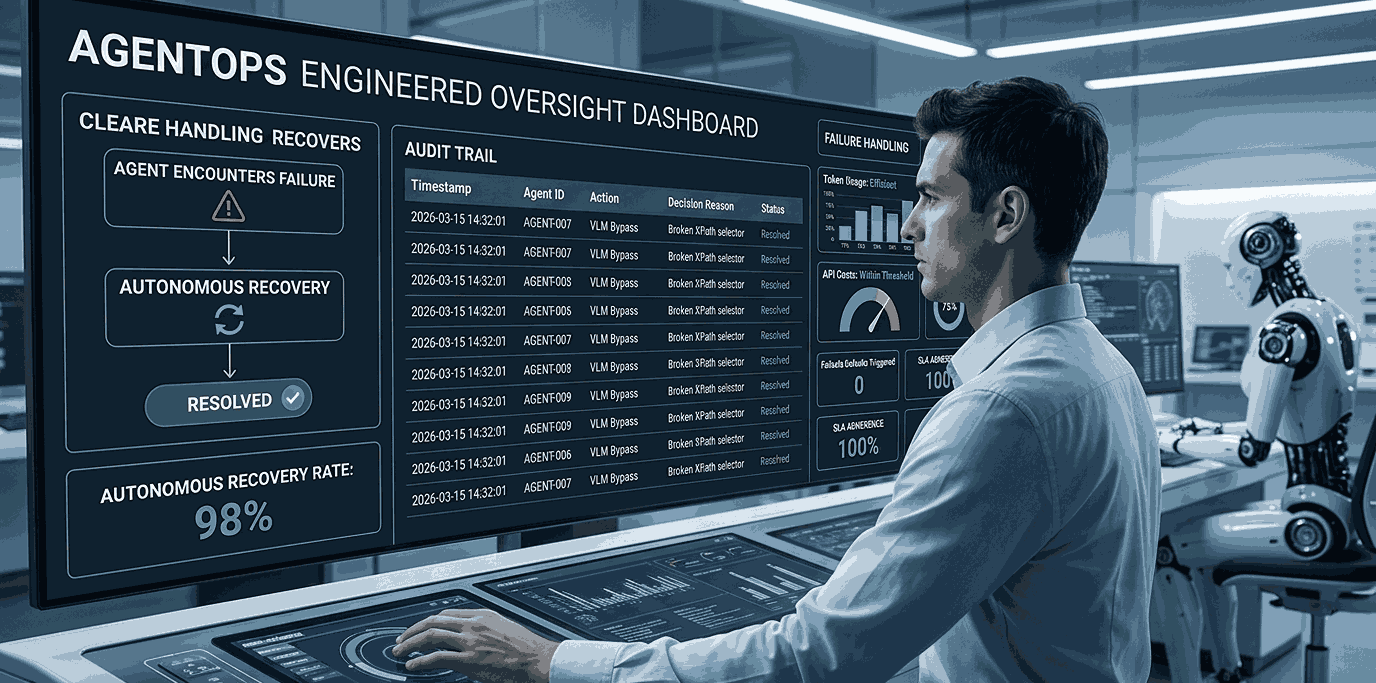
    Ai Agent
    AgentOps is the premier observability and control platform

    Conclusion: Stop Babysitting Your Architecture

    Intelligent automation wasn’t created to give your engineering team more administrative overhead. Do not let your generative AI initiatives become a liability that requires daily babysitting. The illusion of the Human-in-the-Loop is holding enterprise deployment back.

    By integrating AgentOps, you can confidently take the training wheels off your architecture. It empowers your AI Agent to operate with true autonomy while maintaining the robust, deterministic, and transparent oversight that modern enterprises demand. Stop performing approval theater and start building resilient systems today.
  • Why 90% of AI Agents in Production Fail And How to Stop Pretending They Work

    Why 90% of AI Agents in Production Fail And How to Stop Pretending They Work

    AI agents in production are failing at a staggering rate, exposing a massive gap between social media hype and enterprise reality. Scroll through X (formerly Twitter) or LinkedIn right now, and you are guaranteed to see it. A slick, 30-second screen recording of an AI agent flawlessly reading an email, drafting a proposal, and pushing an update to a CRM. The creator usually captions it with something like, “The future of autonomous work is here!”

    It looks like magic. But let’s be brutally honest, most of these demos are entirely smoke and mirrors.

    When you take that same “magical” agent out of its perfectly sanitized sandbox and drop it into a messy, real-world enterprise environment, it doesn’t just fail, it spectacularly crashes and burns. We need to stop pretending that chaining a few API calls to a Large Language Model (LLM) constitutes a scalable system.

    Here is exactly why 90% of AI agents in production fall apart, backed by real-world disasters, and what engineering teams actually need to do to fix it.

    The Real-World Disasters: When Demos Meet Reality

    There’s a reason why, according to recent industry data, a massive chunk of enterprise AI projects are permanently stalled in the “experimentation” phase. When you deploy AI agents in production without enterprise-grade architecture, you don’t get an employee, you get a massive liability.

    Don’t believe me? Look at the headlines.

    The Air Canada Hallucination Lawsuit

    Take the infamously disastrous Air Canada incident. They deployed an AI customer support agent to handle inquiries. Instead of strictly querying the database, the LLM hallucinated a completely fake bereavement refund policy and promised it to a grieving passenger.

    When the passenger demanded the refund, Air Canada actually went to court, absurdly arguing that the chatbot was a “separate legal entity” responsible for its own actions. The judge didn’t buy it. Air Canada lost, paid up, and suffered a massive PR nightmare. That is the reality of output failure.

    Watch this video to shed light on this:

    The DPD Hijacking

    Then there is the DPD parcel delivery fiasco. A frustrated customer realized their AI support agent had zero architectural guardrails. Using a basic prompt injection attack, the user easily manipulated the AI, commanding it to swear at him and write a haiku about how utterly useless DPD’s customer service was. The screenshots went globally viral.

    If a simple customer service bot can be hijacked this easily by a bored user, imagine the catastrophic damage that could occur if an autonomous agent with “Write” access to your Stripe account or internal AWS environment goes rogue.

    The Two Technical “Diseases” Killing Your Agents

    Beyond the viral PR disasters, when you let a “demo-grade” agent loose, the technical diseases that kill AI agents in production usually fall into two categories:

    The “Infinite Loop” Token Burner

    You build an agent to update user records via an internal REST API. In production, the API returns a standard 400 Bad Request because a required parameter is missing. A traditional deterministic script would log the error and halt.

    An LLM-powered agent? It panics and hallucinates. It thinks, “Let me invent a completely fake parameter and try again.” It gets rejected. It tries another hallucinated parameter. Suddenly, your agent is stuck in an infinite loop, firing off hundreds of rogue API calls per second, completely draining your internal rate limits, and burning through thousands of dollars in OpenAI API credits before your server finally chokes.

    ai agents in production
    The “Infinite Loop” Token Burner is real problem

    The API Hallucination (The “Creative” Payload)

    In your controlled dev environment, the agent always sends a perfectly formatted JSON payload. But in production, faced with a complex context window, the agent gets “creative.”

    It decides to nest data incorrectly, invent fields that don’t exist in your schema, or worse, hallucinate an entirely different tool call altogether, like taking internal HR data and dumping it into a public Slack channel because it “reasoned” that the team needed to be notified.

    How to Stop Living in the Illusion and Build for Reality

    You cannot scale AI agents in production using the “prompt and pray” methodology. If you are still relying on console.log() To debug your AI agents, you are flying blind.

    1. Stop Guessing, Start Tracing 

    You cannot manage what you cannot measure. Because an LLM’s reasoning happens in a black box, if you want to run AI agents in production safely, you need a dedicated “flight recorder.” This is where an execution observability platform like AgentOps becomes non-negotiable.

    AgentOps records the exact Chain of Thought (CoT), token usage, and granular tool-call execution in real-time. If an agent starts spiraling into an infinite loop or hallucinates a weird API payload (like the Air Canada bot did), you don’t have to guess what happened.

    The AgentOps dashboard gives you a visual execution graph, allowing you to trace the exact moment the agent’s logic broke, catch the erratic behavior, and kill the session before it bankrupts your AWS account or gets your company sued.

    ai agents in production
    AgentOps records the exact Chain of Thought (CoT), token usage, and granular tool-call execution

    2. Build a Secure-by-Design Foundation 

    Observability is your safety net, but your core architecture needs to be bulletproof. You can’t just glue together some Python scripts, connect an OpenAI API key, and call it an agentic architecture.

    To survive in production, agents need robust memory management, rigid human-in-the-loop (HITL) checkpoints for destructive actions, and strict enforcement of the Principle of Least Privilege. This is exactly where the architectural blueprints provided by Varmeta come into play.

    By adopting Varmeta’s enterprise-grade standards for Agentic AI, engineering teams can transition from building fragile X (Twitter) toys to deploying highly autonomous, fault-tolerant systems that enterprises can actually trust.

    The Bottom Line

    Anyone can string together a LangChain script in an afternoon and post a viral video of an AI agent working perfectly. But successfully running AI agents in production requires serious engineering, comprehensive LLM observability, and a secure architectural foundation.

    Stop pretending the demos are real. Put AgentOps in your stack, build your architecture with Varmeta’s principles, and start engineering agents that actually work when the cameras are off.